
Guide: Plain-Language Reading
Nervous about “readings” in a course with the word cybersecurity in the title? Take a breath. The two required books for CIS 350 are short, friendly paperbacks written for people exactly like you: smart business students who have never coded and never studied security. There is no math to grind through and nothing to memorize. This guide shows you what the books are, how to read them the smart way (skim first, then zoom in), and how a little reading time each week makes your quizzes, labs, and discussions noticeably easier.
1. What this is and why CIS 350 uses it
“The reading” in this course is not a giant textbook. It is two slim, plain-English books plus a handful of optional extras for the curious. Think of them as friendly tour guides, not instruction manuals. A lecture moves fast and covers a lot in 75 minutes. A book lets you slow down, reread a paragraph, and let an idea sink in at your own pace. That is why we pair them: the lecture gives you the live tour, the reading lets you wander the same museum again quietly afterward.
The two required books split the course cleanly down the middle. Tom Taulli’s Artificial Intelligence Basics: A Non-Technical Introduction explains the AI and machine learning side in everyday words: what a model is, how it “learns,” what data has to do with any of it. Raef Meeuwisse’s Cybersecurity for Beginners explains the security side: what a threat is, why people (not just computers) get hacked, and the vocabulary security professionals actually use. Between them they cover almost every big idea in CIS 350. Both are slim trade paperbacks written for non-technical readers, not dense reference textbooks, so a week’s worth of reading is usually a short handful of pages.
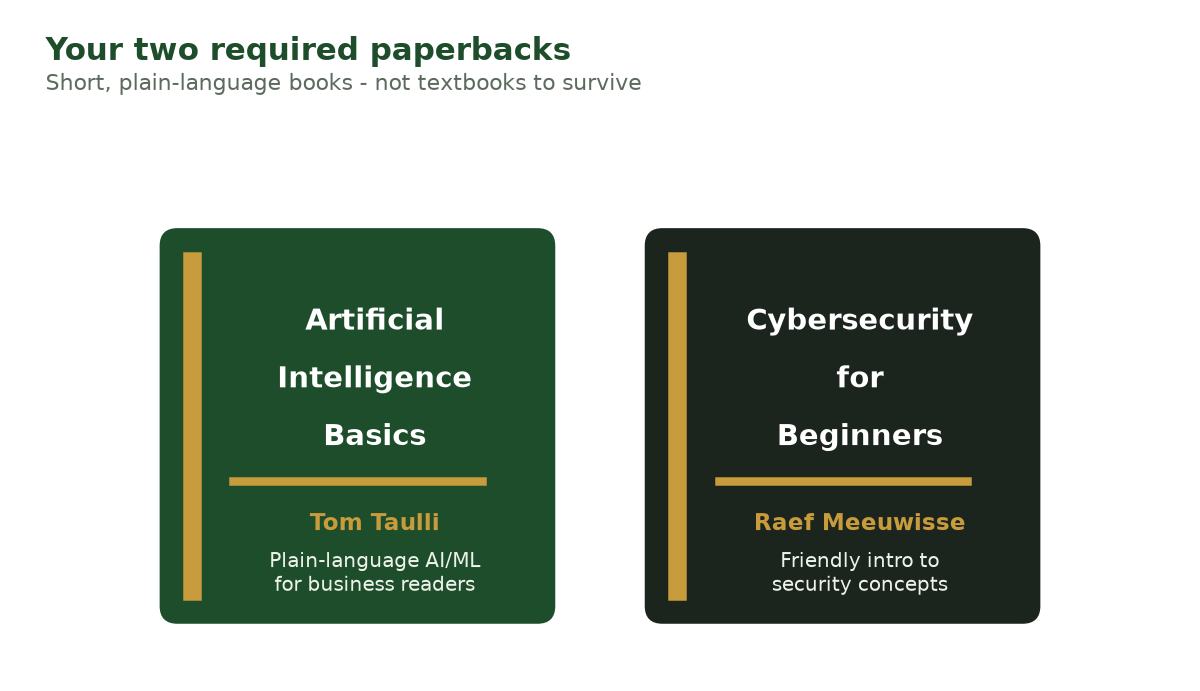
Figure 1. The two required paperbacks: Taulli’s AI Basics (the AI/ML half) and Meeuwisse’s Cybersecurity for Beginners (the security half). Illustration - your screen may differ slightly.
Here is the analogy to hold onto. Imagine you just started a job at a bank. Nobody expects you to rebuild the vault on day one. But they do hand you a short employee handbook so you recognize the words everyone uses in meetings, “risk,” “audit,” “false alarm”, and don’t feel lost. These two books are that handbook for the world of AI and security. Read them and the lectures stop sounding like a foreign language.
You will not be quizzed on page numbers or asked “what did chapter 4 say.” Instead, the reading quietly builds the background knowledge that makes everything else click. Students who skim the relevant pages before class almost always find the quiz easier and the lab less confusing, because they already recognize the words on the screen.
2. Before you start / first-time setup
There is no account to create and no software to install for the reading, these are books. Here is how to get set up so you actually have them in hand before Week 1.
- Find the exact editions on the Resources page. Open that page and look under “Textbooks -> Required.” You will see the two titles, authors, and publishers listed. Match those exactly when you buy or borrow, so you get the right edition.
- Choose how you want to read. Both books are available in three common forms:
- Paperback - nice if you like to highlight and flip pages.
- E-book / Kindle - instant, searchable, and usually cheapest.
- Library copy - check the CSU Libraries catalog and course reserves first; many students pay nothing this way.
- Get Taulli’s Artificial Intelligence Basics first. You will use it starting in the early weeks (AI and data basics). Aim to have it before Week 2.
- Get Meeuwisse’s Cybersecurity for Beginners next. You use security vocabulary from Week 1 onward, so having both by the first week is ideal, but the AI book is the more urgent of the two for the early labs.
- (Optional) Bookmark the free Google Machine Learning Crash Course. The link is on the Resources page under “Optional.” It is free, online, and full of short videos, great if a concept from the reading needs a visual.
- Set a weekly reading time on your calendar. Fifteen to thirty minutes, once a week, before Wednesday. That single habit is what makes this work.
3. A guided tour of “the interface”
The “interface” here is just a book, but let’s name the parts a beginner should use on purpose, because reading strategically is a skill. Whether you hold a paperback or scroll an e-book, every book has the same navigation:
+---------------------------------------------------+
|  TABLE OF CONTENTS   <- your map: match to the week |
+---------------------------------------------------+
|                                                   |
|   CHAPTER TITLE                                   |
|                                                   |
|   Section heading  <- skim these first            |
|   ....body text....                               |
|                                                   |
|   [ bold terms ]   <- the vocabulary that shows   |
|                       up on quizzes               |
|                                                   |
|   "Summary" / "Key takeaways" box  <- read this!  |
+---------------------------------------------------+
|  INDEX  <- look up a single word fast             |
+---------------------------------------------------+
The buttons and menus a beginner should look for:
- Table of Contents - your map. Use it to jump straight to the chapter that matches this week’s topic instead of reading front to back.
- Section headings and bold words - the skeleton of the chapter. Reading just these gives you the gist in two minutes.
- The chapter summary or “key takeaways” - if the book has one, read it first, not last. It tells you what the chapter thinks is important so you can watch for it.
- The index (paperback) or search box (e-book) - when the lecture uses a word you don’t know, look up that one word instead of rereading everything.
- Highlighter / notes - in an e-book, use the highlight tool; on paper, a pencil. You do not need to highlight much, one sentence per section is plenty.
4. How you will use it in this course
Readings are keyed to the weekly topic. You do not read the whole book at once, you read the handful of pages that match what class is covering. At the big-picture level the term moves through four phases, and the reading follows along: you lean on Taulli early while the course builds AI and data intuition, bring in Meeuwisse as security concepts arrive, and use both during the adversarial, ethics, and responsible-AI weeks near the end.
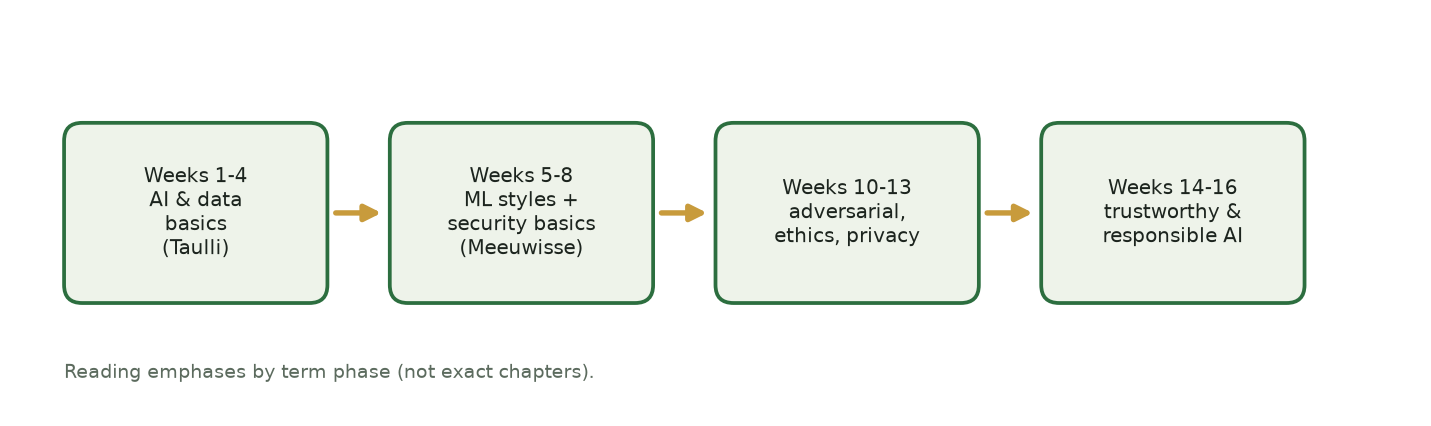
Figure 2. How the two books map onto the four phases of the term (reading emphases, not exact chapters). Illustration - your screen may differ slightly.
Here is the week-by-week mapping. (Full topics live on the Schedule page.)
| Weeks | Course topic | Read mostly from | What you do with it |
|---|---|---|---|
| 1 | Cybersecurity fundamentals, CIA triad, human factor | Meeuwisse, Cybersecurity for Beginners (opening chapters) | Learn core security words before Quiz 1 |
| 2 | Data, AI vs. ML vs. rules, features and labels | Taulli, AI Basics (what AI is; data) | Recognize “feature,” “label,” “dataset” in Lab 2 |
| 3-4 | Supervised learning, classification, model evaluation | Taulli, AI Basics (machine learning chapters) | Follow the spam-classifier lab; read the confusion-matrix idea calmly |
| 5-7 | Unsupervised, clustering, anomaly detection, RL | Taulli, AI Basics (learning styles) | Match “clustering” and “anomaly” to what the lab shows |
| 8 | How attackers use AI | Meeuwisse (threats) + Taulli (what AI can do) | Context for the adversarial-email lab and discussion |
| 10-11 | Adversarial attacks, prompt injection, LLM security | Taulli (LLMs) + optional Not with a Bug, But with a Sticker | Background for the CTF challenges in these weeks |
| 12-14 | Ethics, bias, fairness, privacy, governance | Meeuwisse (policy/people) + Taulli (ethics) | Fuel for Packback discussions and the fairness activities |
| 15 | Advanced topics and emerging threats | Skim both for review; optional deeper books | Tie the whole course together for Quiz 12 |
How the reading “submits”: it does not. There is nothing to hand in for reading itself. Instead the reading shows up indirectly, in your Quiz answers (Wednesdays, in class), in how smoothly you get through the week’s Lab in Colab, and in the quality of your Packback discussion posts. See Weekly Activities for what each week actually asks of you.
Optional books, for the curious
You never need these to pass, but they are genuinely fun if a topic grabs you:
- Kumar and Anderson, Not with a Bug, But with a Sticker - a story-driven, page-turner tour of real attacks on AI systems. Perfect companion for Weeks 10-11.
- Chio and Freeman, Machine Learning and Security (O’Reilly) - a deeper, more technical reference for anyone who wants to go further than the labs.
- Google Machine Learning Crash Course (free, online) - short videos and visuals when you want to see a concept instead of read it.
5. Step-by-step: completing an activity end to end
Reading is not “an activity” you submit, so let’s walk the real thing: turning a reading session into a quiz-ready set of notes for a single week. We’ll use Week 3 (supervised learning) as the example.
- Check what the week covers. Open the Schedule page and find the current week. Week 3 says “Supervised Learning: Teaching with Labels.”
- Open the matching book. Supervised learning is an AI topic, so open Taulli’s AI Basics and use the Table of Contents to find the machine-learning chapter.
- Skim first (2-3 minutes). Read only the section headings, the bold words, and any summary box. Do not read every sentence yet. You are building a map.
- Zoom in (10-15 minutes). Now read the one or two sections that match the week, here, the part explaining how a model learns from labeled examples. Read at a normal pace. Reread any paragraph that feels fuzzy, once.
- Fill in the three-line note template (see below). One idea, one term, one question, as in the card in Figure 3.
- Bring the question to class. Ask it Wednesday, or drop it into the week’s Packback discussion. Getting your one question answered is often the difference on the quiz.
- Glance at your three lines right before the quiz. That is your entire review. Because the quiz is conceptual (no math, no code), recognizing the vocabulary is most of the battle.
Week ___ / Topic ___1) Key idea (one sentence in my own words): __________2) One new term + a plain definition: __________3) One question I still have: __________That is the whole thing. Three lines a week. By finals you will have a personal, plain-language glossary of the entire course.
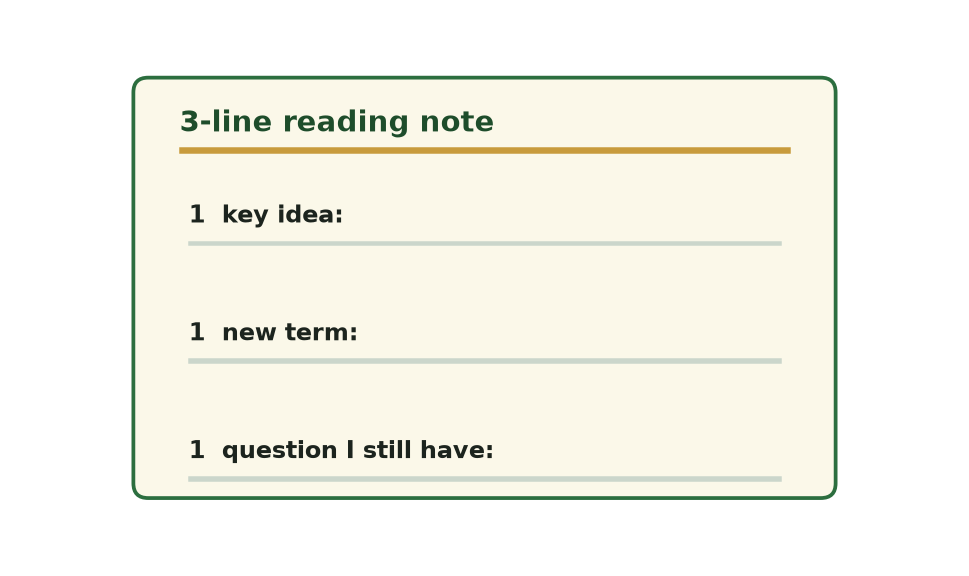
Figure 3. The three-line reading note - copy it into any notes app and fill one card per week. Illustration - your screen may differ slightly.
6. Troubleshooting
| Problem | The fix |
|---|---|
| “There is too much, I can’t read a whole book each week.” | You are not supposed to. Read only the few pages that match the week (Section 4 mapping). Skim headings first, then read one or two sections. |
| “I don’t know which chapter goes with this week.” | Open the Schedule, note the topic, then use the book’s Table of Contents to find the matching chapter. AI topics -> Taulli; security topics -> Meeuwisse. |
| “A sentence uses a word I don’t understand.” | Look up that one word in the index or e-book search. Do not reread the whole chapter. If it is still unclear, that becomes your “one question” for class. |
| “I read it but I don’t remember anything.” | That usually means you read passively. Fill in the three-line template as you go, writing one sentence in your own words is what makes it stick. |
| “I don’t have the book yet.” | Use the free Google ML Crash Course for AI topics while you wait, and email the instructor if cost is the barrier. Do not fall behind silently. |
| “Can I just use ChatGPT to summarize the reading?” | You may use AI to explore or summarize a topic, but you must still engage with the reading and cite any AI help (see the syllabus AI policy). AI is not allowed on quizzes or labs. |
| “I’m short on time this week.” | Do the 3-minute skim only: headings, bold words, summary box. Even that much makes the lecture and quiz easier. |
7. How the readings connect to your grade
Readings are not graded directly, there is no “reading points” line in the syllabus. So why do them? Because they quietly raise the three things that are graded. The payoff is a short chain: a few pages now means you recognize the words later, which means you answer the quiz faster.
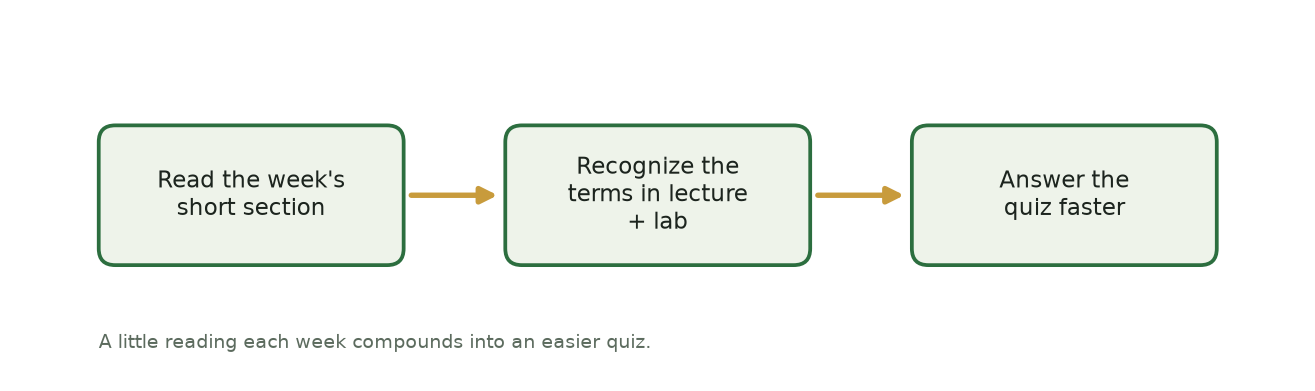
Figure 4. How a little weekly reading feeds the quizzes: read the section, recognize the terms, answer faster. Illustration - your screen may differ slightly.
- Quizzes (25% of your grade). Quizzes are conceptual, no heavy math, and they test the week’s vocabulary and ideas. That vocabulary comes straight from the reading and lecture. Students who skim the matching pages before Wednesday recognize the terms instantly instead of guessing. This is the single biggest payoff.
- Labs (35% of your grade). Labs give you starter code, but you still have to understand what “feature,” “label,” “false positive,” or “clustering” mean to interpret your results, and interpretation is part of the lab grade. The reading is where those words first make sense, calmly, before the code is in front of you.
- Discussions and activities. The best Packback posts and in-class contributions come from students who read a little and arrived with a real question. That reading gives you something genuine to say.
Read honestly (a quick integrity note). The reading only helps if the thinking is yours. Per the syllabus AI policy, you may use an AI tool to summarize or explore a reading topic, but you must still engage with the reading yourself and disclose any AI help; AI is not allowed on quizzes or labs. Writing your own three lines each week (below) is exactly the kind of genuine engagement the course asks for, and it is what makes the material stick.
Turning reading time into points, the simple loop: read the week’s few pages -> write your three lines -> ask your one question in class or on Packback -> glance at your three lines before the quiz. Fifteen minutes of the right reading beats an hour of cramming the night before, because you are learning the language of the course a little at a time instead of all at once.
8. Getting help + quick-reference checklist
Where to get help:
- Confused by a concept? Bring your “one question” to Wednesday class, or post it on the week’s Packback discussion, classmates and the instructor answer there.
- Can’t find the right chapter or the book itself? Check the Resources page for exact titles and editions, and the CSU Libraries catalog for free copies.
- Bigger issue (cost, access, or you’re falling behind)? Email the instructor at ramadan.abdunabi@colostate.edu, do this early, not the night before a quiz. Expect a reply within 2 business days.
- Course logistics and deadlines live in Canvas: [your Canvas course shell - posted on Canvas].
Quick-reference checklist (glance at this each week):
- Checked the Schedule for this week’s topic
- Opened the matching book (AI topic -> Taulli; security topic -> Meeuwisse)
- Skimmed headings, bold words, and the summary box first
- Read the one or two sections that match the week
- Wrote my three lines: one idea, one term, one question
- Brought my question to class or posted it on Packback
- Glanced at my three lines right before the quiz